Scope creep prevention software that costs every tracked hour against a purchase order cap, so you see what is left while the work is still happening.
Consultants keep delivering after the purchase order is spent, and nobody notices until the client refuses to pay.
Without a live view of each order, you learn the budget is gone at month end.
Hours land on an expired or replaced order, and the figures for the current one stop adding up.
When a client asks what their order paid for, you rebuild the answer from spreadsheets.
Budget use is counted per purchase order, not guessed per project.
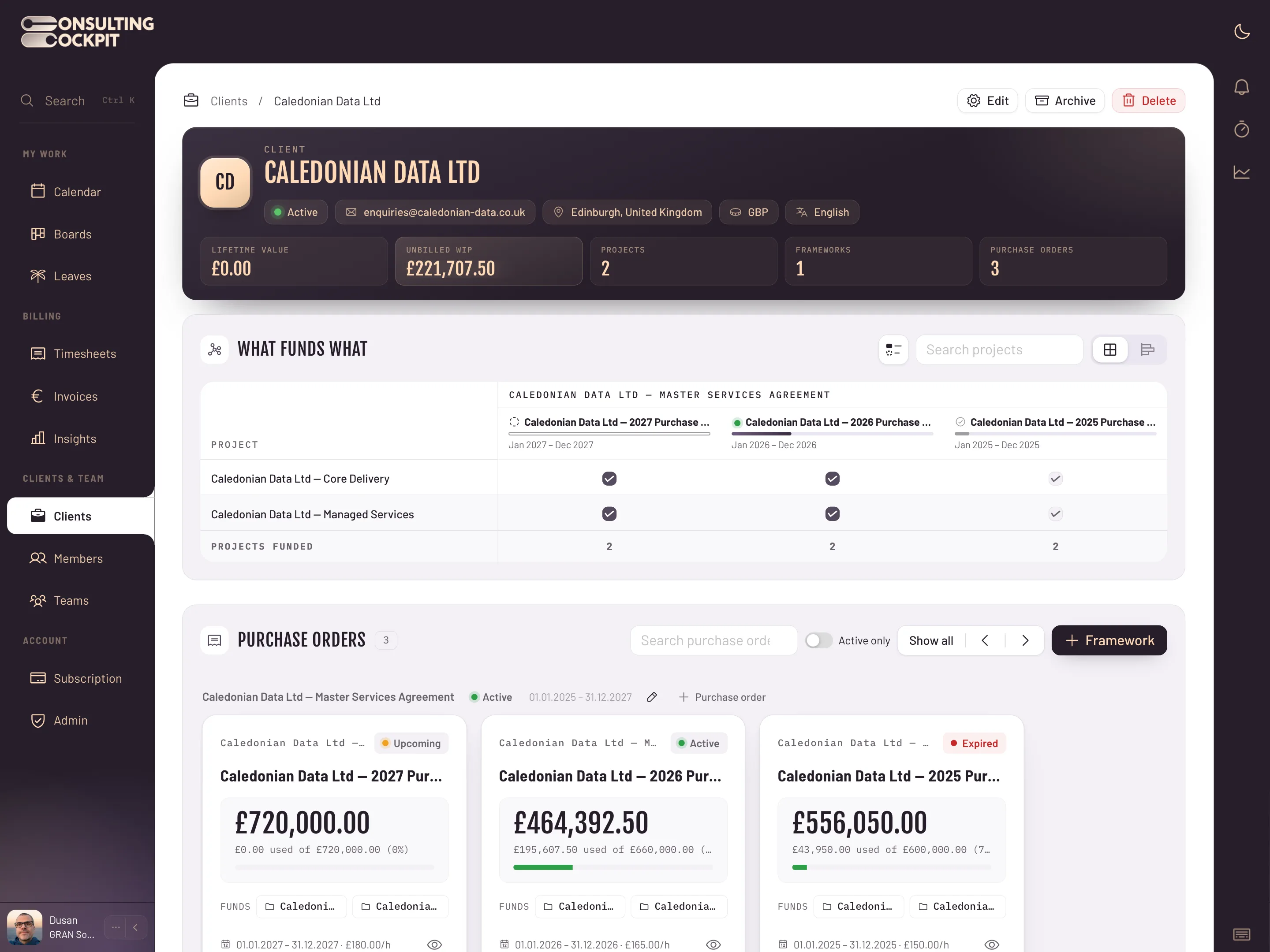
Each client framework agreement holds its purchase orders. Every order has its own budget cap, time period and hourly rate.
Tracked hours are matched to the right active order and costed at its hourly rate.
The cost booked to an order is limited to the budget it has left. When one order is used up, work moves on to the next order that still has budget.
Each order card shows the amount used in the client's currency, the percentage of the cap and the remaining budget.
In the Statistics drawer, each order's budget bar turns amber at 75% and a stronger colour at 90%.
The rules hold when orders run out, end or have no cap.
If work would push an order past its cap, the amount above the cap is not booked against that order.
An order without a cap is treated as uncapped, so agreed extra work can still be tracked against it.
Cancelled or superseded orders stop absorbing hours, so an old order cannot eat the budget of a new one.
How software agencies keep every client's budget and unbilled work in view, what happens to timesheets once the budget is spent, and a plain guide to what scope creep is and how to stop it, see Software Agencies , Timesheet to Invoice and What Is Scope Creep
Real screens from the product — swipe or use the arrows.
It ties every tracked hour to a budget the client actually agreed. In Consulting Cockpit that budget is the purchase order cap.
The cost on that order is limited to the budget left, and work moves on to the next order that still has budget.
Yes. An order without a cap is treated as uncapped, and hours are still costed against it.
On each purchase order card, as amount used, percentage and remaining budget. The Statistics drawer shows a bar per order that turns amber at 75% and a stronger colour at 90%.
No. Tracked hours are matched to the right active order for them.
Cancelled or superseded orders stop absorbing hours, so new work is costed against the orders still in force.
Set a cap on each purchase order and watch the budget as your team works. Free for 30 days.